Fun in The Sun with Warby Parker Sunglasses!

Some posts may contain affiliate links. Read the full disclosure.

Warby Parker

Ready for some fun in the sun with your fur kids now that the weather is improving? Add some style and flair to your daily dog walks, your next trip to the dog park or the beach! Warby Parker is getting you ready for the beautiful, bright days ahead with their recently launched Sun Spectrum Collection.

A colorful collection of nine new styles, including the Warby Parker Sunglasses – Minnie in Eucalyptus and the Warby Parker Sunglasses – Hall in Whiskey Tortoise with their debut triple-gradient lenses, featuring three rich colors that are exclusive to Warby Parker. That added punch will help with those extra hours of daylight. You can view the full Sun Spectrum Collection, here: http://www.warbyparker.com/spectrum-sun.

There’s more exciting news: Warby Parker has opened a new New York storefront! The new store will be located on Lexington Avenue and will feature the original marquee, a photo booth to test out your new frames and and pneumatic tubes that move inventory through the store! If you are in or around New York, be sure to check it out!

Sunday Pet Coupon Preview 3/30: Purina Pro Plan, OxiClean + More

Some posts may contain affiliate links. Read the full disclosure.

List of Pet Coupons in Sunday Newspaper

Each week, we give you the inside scoop on what pet coupons will be in the Sunday newspaper coupon section. This week there will be 2 coupon inserts in most papers: 1 SmartSource and 1 P&G coupon inserts. There are only a few pet coupons this week, so you don’t see what you’re looking for, be sure to check back next week for a new preview. And you can always find more pet food and grocery coupons by browsing the printable coupon database anytime! I’ve also included a few cleaning coupons I think might be useful for homes with pets:

Sunday Newspaper Pet Coupons 3/30 SmartSource

  • Beggin’ Party Poppers Pig Head B1G1 FREE Purina Beggin’ refill 7 oz  (4/30)
  • Purina B1G1 Beneful Pet Food max 3.5 lb (4/25)
  • Purina $5 OFF Pro Plan Can Food, 3.5 lb + (6/30)
  • Purina B1G1 Pro Plan Cat Food cans ( 6/30)
  • OxiClean $2 OFF Laundry Detergent (5/30)
  • OxiClean $0.50/1 Pre-treater (5/11)
  • OxiClean $0.50/1 Versatile Stain Remover, 3 lb + Power Paks or Liquid (5/11)

Sunday Newspaper Cleaning Coupons 3/30 P&G

  • Febreze $.50/1 Fabric Refresher or Air Effects (4/30)
  • Febreze $.75/1 Noticeables Refill or Set & Refresh or Stick & Refresh (4/30)
  • Febreze $2/2 (4/30)
  • Swiffer $5/1 WetJet Starter Kit or Sweep & Trap Starter Kit (4/13)

Remember that coupons and values can vary by region or publication so always take a look inside before you buy the paper if you are purchasing it to get specific coupons.

Don’t see what you’re looking for or want even more money-saving coupons? Search the printable coupon database to find more printable grocery, household and pet coupons.


Learn How To Paint a Portrait of Your Cat or Dog

Some posts may contain affiliate links. Read the full disclosure.

learn to paint pet portraits

I’m a big fan of web-based and self-paced learning, and it’s amazing what you can find online these days! I love watching YouTube How-To videos, but what’s even better are the FREE and low-cost classes that you can find over at Craftsy.com. I’ve mentioned before that I’ve taken their Online Knitting Class using my iPad in my spare time, and found it super fun and easy to follow. Their special software makes it really straightforward and organized to follow, and you can use a PC, laptop, tablet, or even your SmartPhone to take online lessons on your own schedule.

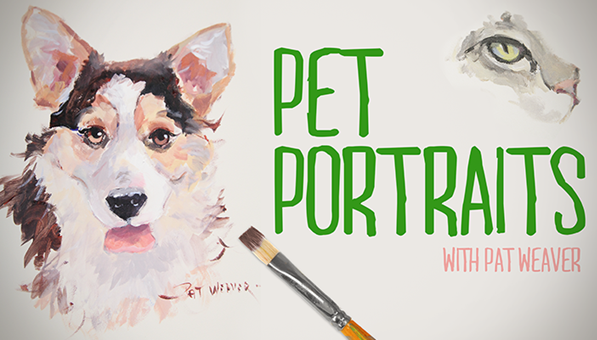
I was looking to see what’s new over in their course offerings and spotted a GREAT new class especially for Pet Lovers! It’s Pet Portraits taught by Pat Weaver, and it’s on sale for $19.99. That’s 33% OFF the regular price of $29.99 and you get:

  • 6 HD video lessons with anytime, anywhere access
  • Downloadable class materials, including supplies and a color wheel
  • Over 2.5 hours of close-up instruction
  • Answers from Weaver in Craftsy’s virtual classroom

learn to paint a pet portrait

One really cool thing about Craftsy classes is that once you buy one, it’s yours to keep and take over and over again anytime you want. You can skip around in the lessons, or do them in order from start to finish. When you have questions or need help, you can post messages for the instructor and other students. You can also see photos that other students post of their finished projects, which I find great inspiration. They also offer a 100% Satisfaction Guarantee!

Class Description

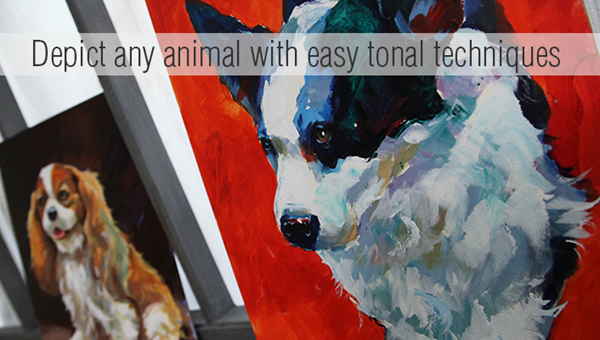
Capture your darling dog or cat in a lovable, lifelike work of art! Join renowned animal artist Pat Weaver and discover how easy it is to photograph, sketch and paint your pet. Find out how to select the best source photo for your piece, and discover Pat’s easy process for quickly and accurately sketching any dog or cat. Use a simple template and transfer method to translate your sketch to canvas, and then explore value and color. Work with acrylic paint to mix lovely grays and neutral hues that are ideal for animal features and fur, and practice painting expressive eyes with realistic warmth. Follow Pat through three demonstrations as you create your own pet portrait, using loose, fluid brushstrokes to develop fur and whiskers and layer colors for a dimensional effect.

Keep in mind that you will need to buy a few art supplies locally, but the instructor has a downloadable list of everything you’ll need. You can also read reviews posted by other students. One review I read says that this was “the best class I’ve ever taken” which is pretty high praise, indeed! Head on over to Craftsy and check out the Pet Portrait Class while it’s on sale!

Not ready to buy a class yet? Check out the FREE Mini-Courses available to everyone at NO cost. It’s a great way to see what Craftsy is all about and how it works.

Go Blue! #Michigan #MarchMadness #WordlessWednesday

Some posts may contain affiliate links. Read the full disclosure.

Go Blue Michigan Basketball

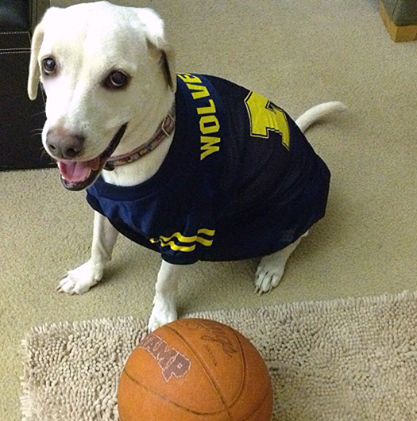
Daisy and I are super excited that our team made it to the Sweet Sixteen and can’t WAIT to cheer them on when they play again this Friday! Are you a college basketball fan, too? What’s your favorite team, and are they still in the tournament? If not, feel free to root for our team. GO Blue!!!

wordless wednesday pet photos

Visit BlogPaws here for more Wordless Wednesday pet photos!

How To Make Your Own Cookbook for Fun and Profit

Some posts may contain affiliate links. Read the full disclosure.

How to make a cookbook

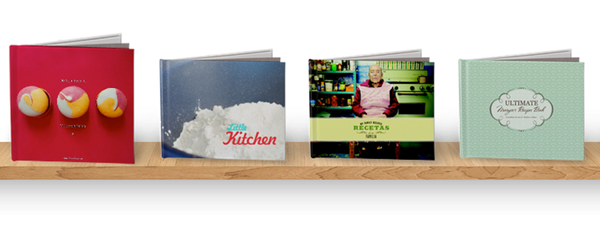
Ever thought of putting your favorite recipes into a beautiful book you can give as a gift or pass down the generations? Maybe you’re famous for your pet treats and you’ve always thought about creating your own cookbook to sell or give to friends and family, but never knew how to get started!

Blurb is a company that lets anyone create beautiful books from their favorite content, and get those books shipped in any quantity (even just one copy). Not a designer? That’s OK, Blurb’s free BookSmart software is an easy route to a great cookbook.

What’s the best way to get started? Holding off a bit. It’s tempting to want to dive right in, but thinking a bit and getting organized is worth it in the end. Make the most of your time by dividing each step into chunks so you can tackle them at different points in your book-making process.

And here we go:

1. Organize: Gather your recipes and do a process of elimination. Once you’ve narrowed your favorites down, you can gather accompanying images—just make sure you’re giving the recipe and image files the same name to make it easier when it’s time to upload. Keep everything in one folder on your computer.

2. Flow it: Next, determine how you want your cookbook story to flow. Do you want to sort your recipes by age, popularity, or even something else? Once you’ve determined the order, you’ll have done the bulk of your creative decision-making.

3. Get the tool: Download our free book-making tool, BookSmart, choose your book size (Standard Portrait and Standard Landscape are the most popular for cookbooks) and input your title and author name. Then choose “Cookbook” as your starting point — this will give you the best layouts for the job. Then pick a source for your images — from iPhoto, your computer, even Flickr or Picasa. Lastly, choose a theme. Now you’re ready to put together your cookbook.

4. Lay it out: This is where the real book-making comes in. BookSmart will provide you with 20 pages in our standard recipe layout, but you’ll find plenty of alternate layouts in the “Choose page layout” panel on the upper left. You can also add additional pages ­­— including photo pages — by clicking “Add Pages” in the top toolbar.

5. Just add copy: Our layouts provide space for stories, introductions, and those all-important ingredients and directions. Paste in your copy and you’re golden. Then garnish with photos. Don’t forget to run BookSmart’s spell check feature.

6. Preview and review: Click “Review book” and go through page by page. If you’re not a natural-born proofreader, ask a friend to take a second look.

7. Order: Make any last minute edits, click “Order,” and follow the prompts to checkout. Remember to order extra copies for friends and family—or sell it in our Bookstore. Order now and save 15% on all print book orders through April 30th with code TAKE15%.